
1. Login to your backend, e.g. https;//example.com/wp-admin.
2. After login, hover on "Howdy, yourname" > Click "Edit My Profile".
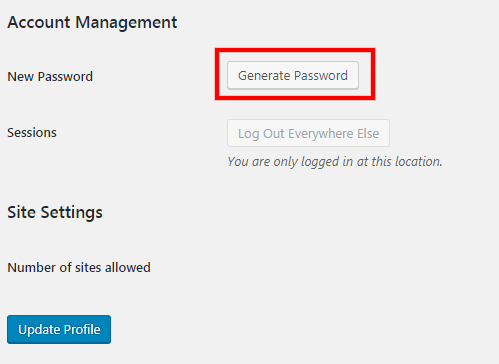
3. Click "Generate Password".
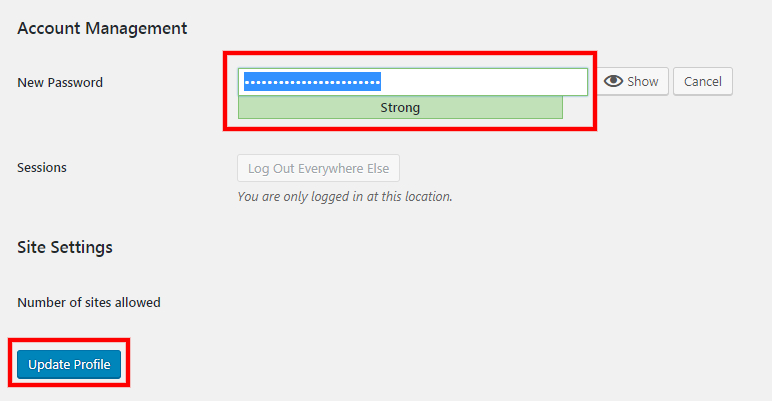
4. Type in your new password.
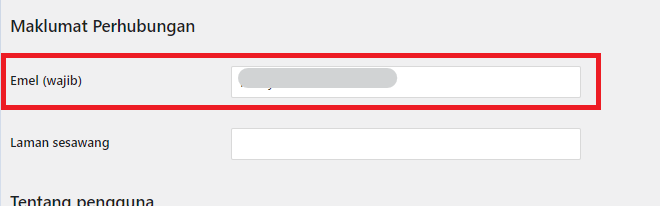
5. you may also change email in the same page.
6. Click "Update Profile".
Was this article helpful?
That’s Great!
Thank you for your feedback
Sorry! We couldn't be helpful
Thank you for your feedback
Feedback sent
We appreciate your effort and will try to fix the article