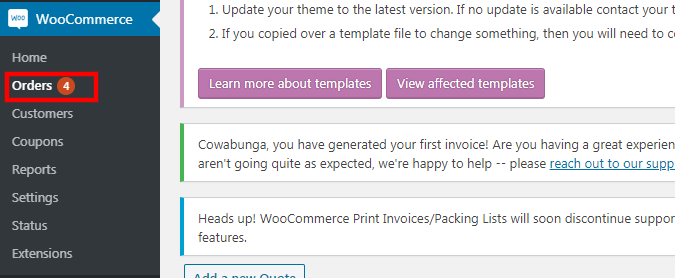
1. Go to "WooCommerce" > "orders".
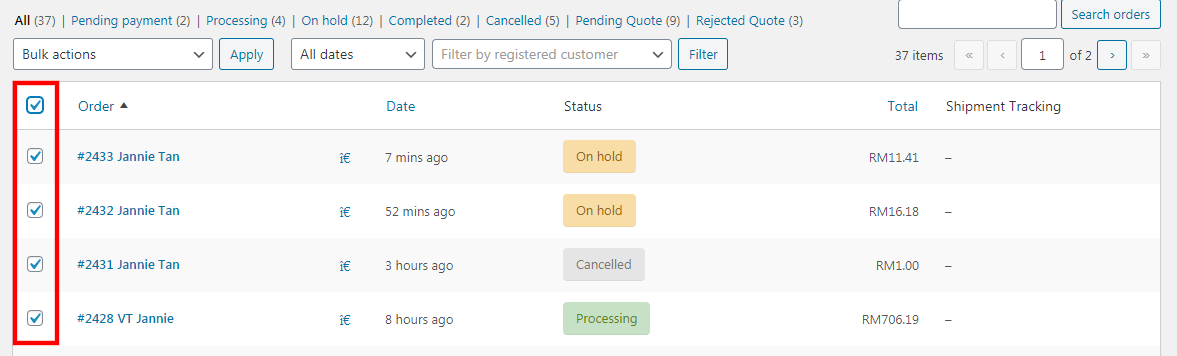
2. Tick on the orders that you would like to print the invoice.
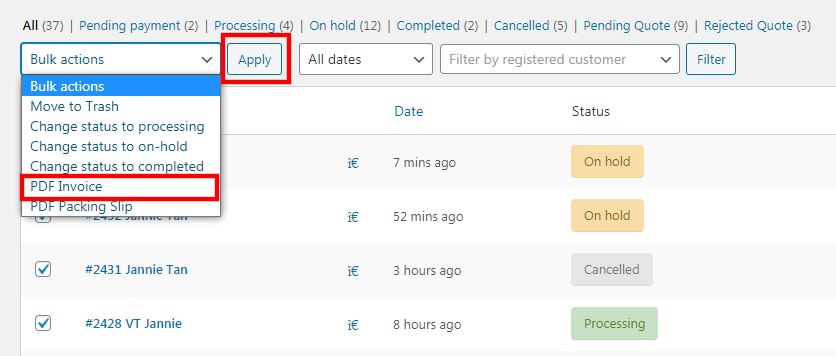
3. Under "bulk actions", choose "PDF invoice".
4. Then, click the "apply" button.
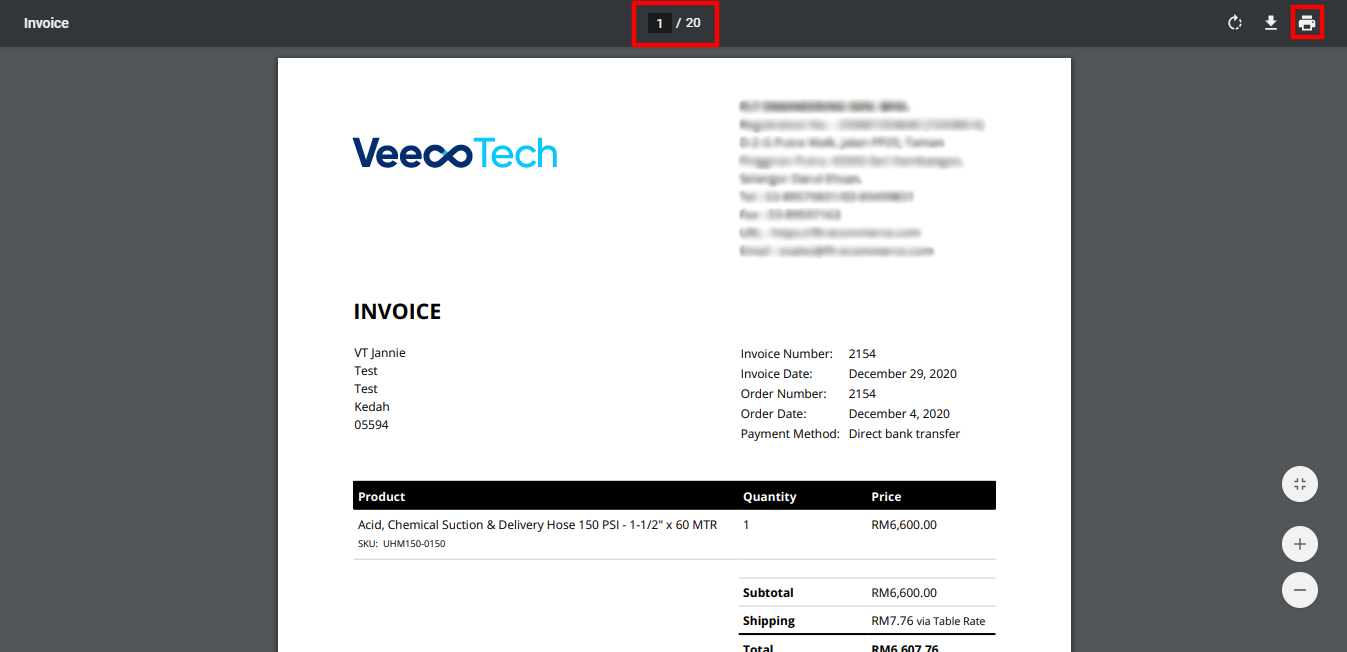
5. System will open all the selected invoices in a new tab.
6. Click on the "print icon" to print it.
Was this article helpful?
That’s Great!
Thank you for your feedback
Sorry! We couldn't be helpful
Thank you for your feedback
Feedback sent
We appreciate your effort and will try to fix the article