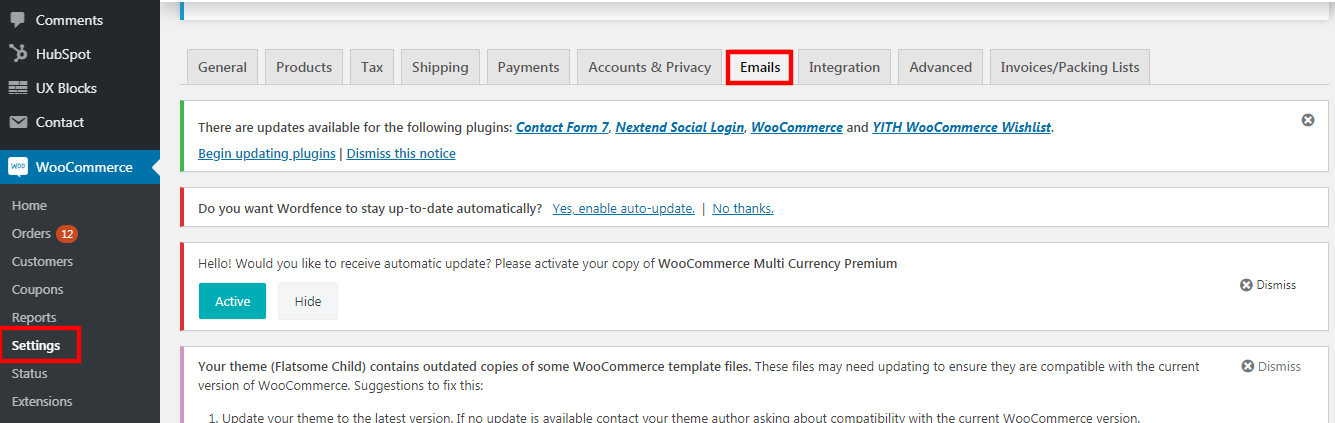
1. Go to WooCommerce > Settings > Emails.
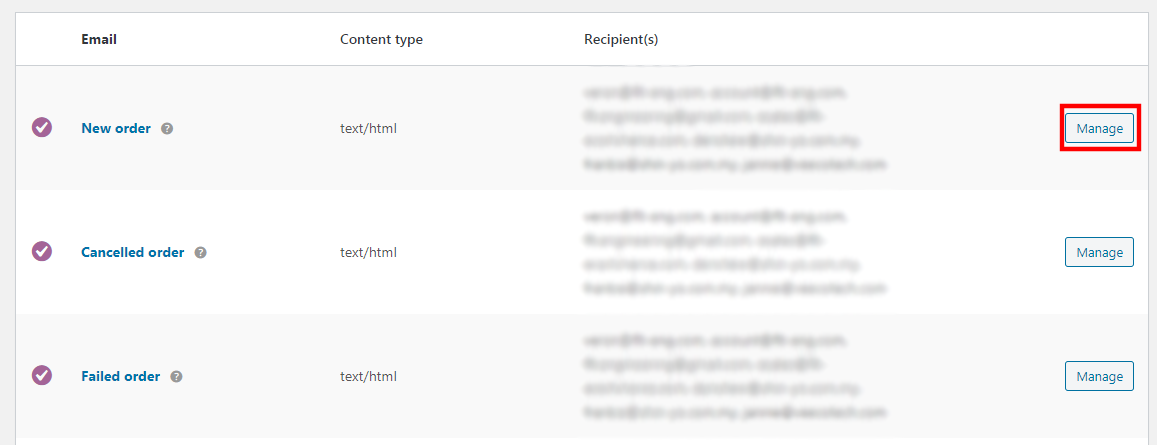
2. Click on the "manage" button.
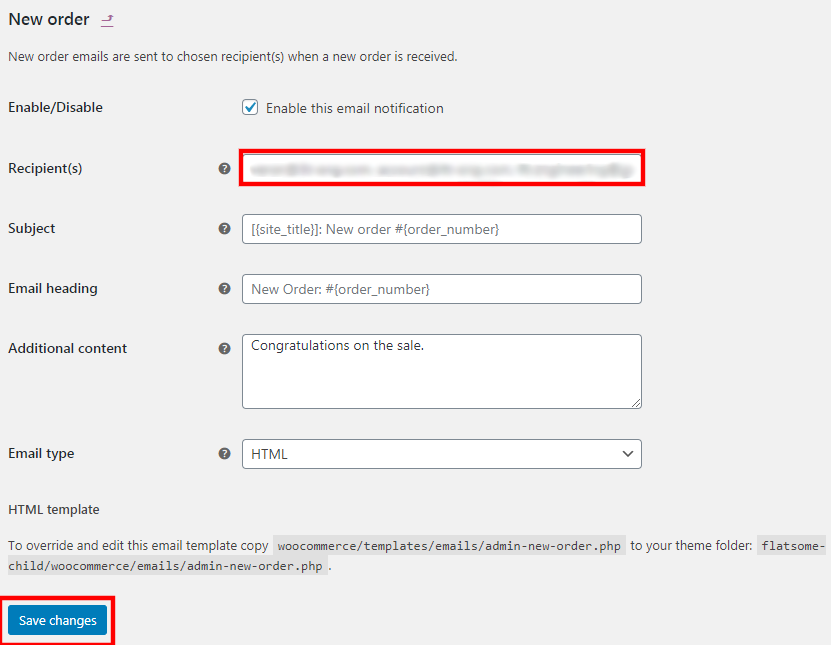
3. Add the recipient email here, use comma (,) as the separator for multiple emails. For e.g. email1@gmail.com, email2@gmail.com, email3@gmail.com
4. Click "save changes" once done.
5. Repeat the same steps for others, e.g. cancelled order email notification, failed order notification and etc.
Was this article helpful?
That’s Great!
Thank you for your feedback
Sorry! We couldn't be helpful
Thank you for your feedback
Feedback sent
We appreciate your effort and will try to fix the article