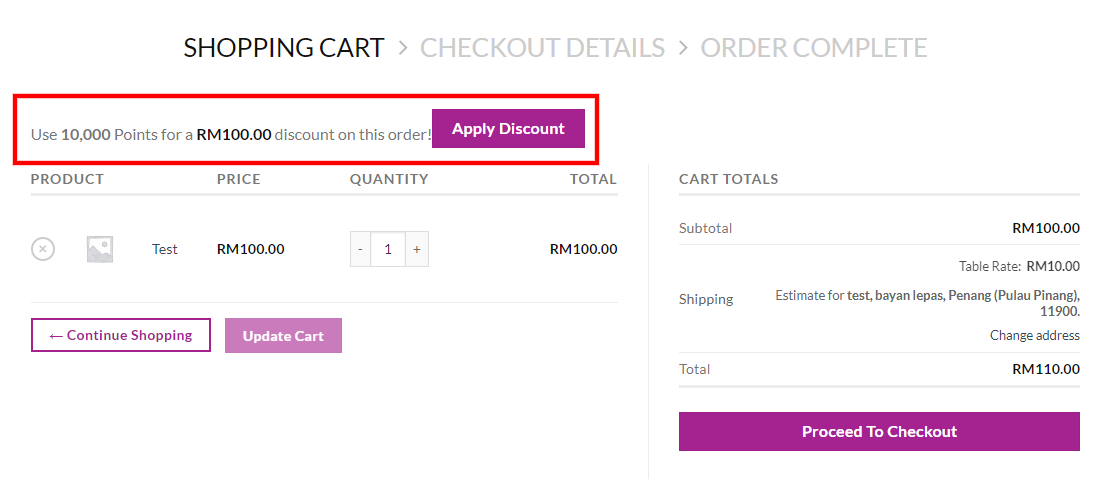
1. Add a product to the shopping cart and go to the cart page.
2. System will show the total points and amount available to redeem.
3. Click on "apply discount".
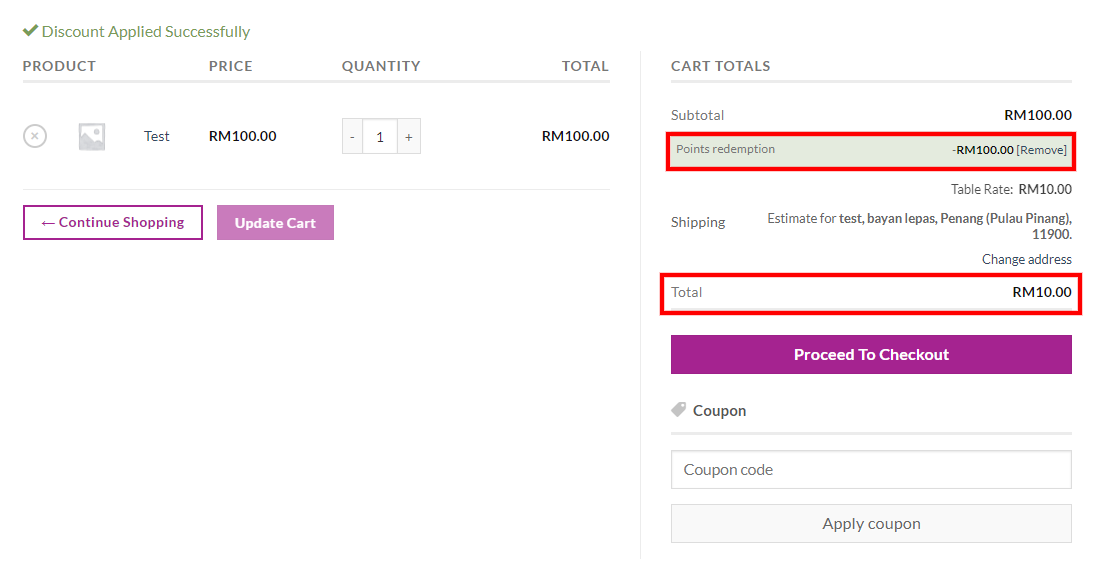
4. System will show "discount applied successfully" upon success.
5. On the right side, the system will show the total amount of "points redemption".
6. And also the total amount that you need to pay.
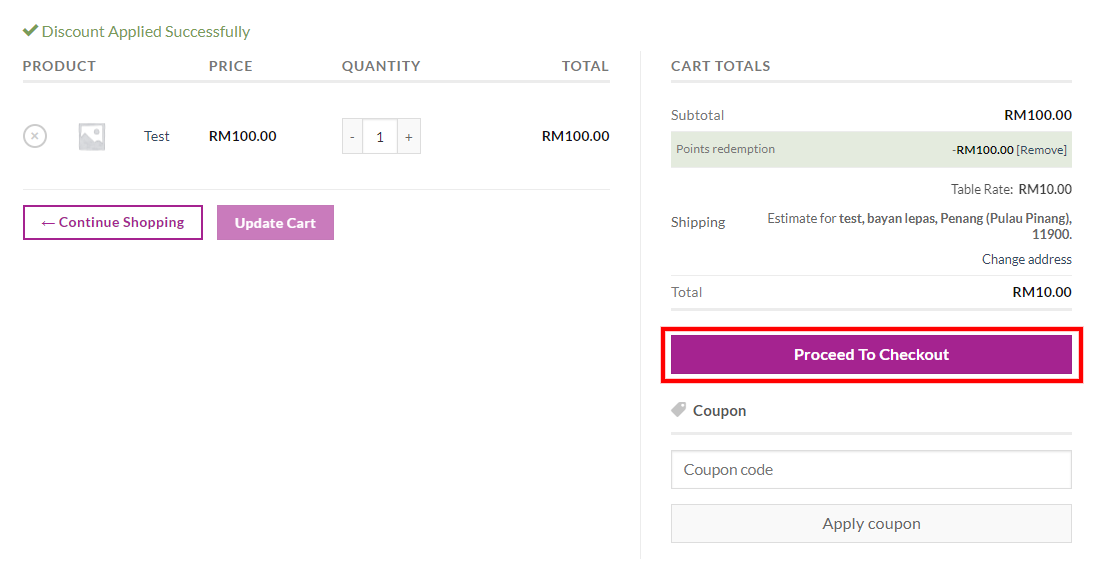
7. Click on "proceed to checkout" to continue with the checkout process until successful to place the order.
Was this article helpful?
That’s Great!
Thank you for your feedback
Sorry! We couldn't be helpful
Thank you for your feedback
Feedback sent
We appreciate your effort and will try to fix the article